
Hobby Color Converter for PC
Reviewed by Stuart Dredge ·
What's New
| Version | 12.7.4 |
| Size | 20.0 MB |
| What's New | Version 12.7.4 - Fixed and added some equivalences and colors (thanks to M.Pascual, C.Кириллов, J.Hoes, and urrerojo) Thanks to all who support HCC!! |
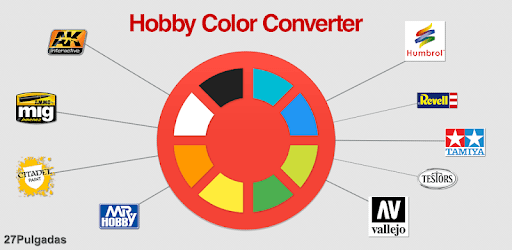
Introducing Hobby Color Converter: The Ultimate App for Paint Enthusiasts
Are you a passionate model kit builder or an avid painter? If so, we have the perfect app for you. Hobby Color Converter is a must-have tool that will revolutionize the way you work with paints. With its wide range of features and user-friendly interface, this app is designed to make your painting experience more enjoyable and efficient.
Unleash Your Creativity with the Perfect Color Equivalences
One of the standout features of Hobby Color Converter is its ability to find equivalent colors between different manufacturers. Whether you prefer Tamiya, Humbrol, AK Interactive, or any other popular brand, this app has got you covered. Say goodbye to the hassle of manually comparing colors and shades - with just a few taps, you can easily find the perfect match for your project.
But that's not all. Hobby Color Converter goes above and beyond by allowing you to list the paints you already own. This feature comes in handy when you're starting a new build and need to quickly determine if you have the required paints. No more rummaging through your collection - the app does the work for you, saving you time and effort.
Take Your Painting Skills to the Next Level
Imagine having a virtual mixer at your fingertips. With Hobby Color Converter, you can experiment with different paint mixes and create the perfect shade. Whether you're aiming for the desert blue color on a Stuart tank or any other custom mix, this app allows you to unleash your creativity and achieve the precise color you desire.
Furthermore, the app offers a comprehensive scale converter, making it easier than ever to work with different scales. From 1/16 to 1/64, you can effortlessly convert measurements and ensure accuracy in your projects.
Constantly Evolving and Improving
The developer behind Hobby Color Converter is dedicated to providing the best possible experience for users. With regular updates and expansions to the database, the app continues to grow and refine its features. The latest addition of the color matched feature has received rave reviews, further solidifying the app as an essential tool for modelers and painters.
While no app is perfect, the developer is quick to rectify any mistakes that may arise. Their commitment to continuous improvement ensures that you'll always have the most accurate and up-to-date information at your fingertips.
Conclusion
In conclusion, Hobby Color Converter is a game-changer for anyone involved in model kit building and painting. Its ability to find equivalent colors, manage paint inventories, and provide a platform for experimentation sets it apart from other apps in the market. With its user-friendly interface and constant updates, this app is a must-have for hobbyists looking to take their painting skills to new heights.
Frequently Asked Questions
1. Can I restrict the equivalences to only the paints I have access to or prefer?
Yes, Hobby Color Converter allows you to customize your equivalences by selecting specific brands and ranges. This ensures that you only see the colors that are relevant to your collection.
2. Is there a suggestion box within the app to submit ideas and suggestions?
Yes, the app features a suggestion box on the home screen. You can easily submit your ideas and suggestions directly from within the app, making it convenient to contribute to its ongoing development.
3. Can I highlight the colors I own on the equivalence list?
Yes, you can easily identify the colors you own on the equivalence list. This feature allows you to quickly scroll through the list and see if you have a paint at a high similarity percentage without having to read each paint's description.
4. Can I import my paint inventory to a new device?
Absolutely! Hobby Color Converter allows you to back up your paint list and import it onto a new device. This ensures that you can seamlessly transition to a new phone without losing any data.
5. Are there plans to add more paint brands, such as AK Interactive and Italeri?
Yes, the developer is constantly expanding the database and adding new paint brands. While not all brands may be currently available, rest assured that the app is on the right track and will continue to include more equivalences in the future.
Download Hobby Color Converter
Hobby Color Converter for PC
Stuart founded Apps Playground in 2010 to help readers find the best apps for iPhone, iPad, Android and PC. The site has never charged developers for coverage.